
How to Run Facebook Ads for Small Businesses in India — Step-by-Step Guide (2026)
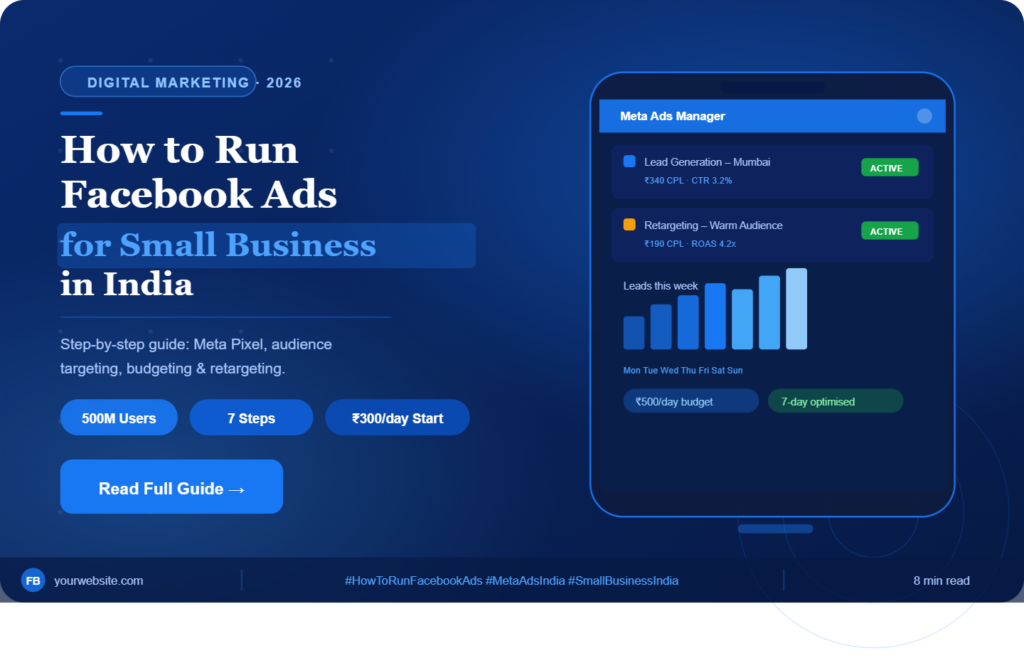
If you want to know how to run Facebook ads for your small business in India, you’re in the right place. Facebook and Instagram ads — managed through Meta Ads Manager — are among the most powerful and affordable advertising tools available in 2026. With over 500 million active users across Facebook and Instagram in India, the potential reach is enormous. But running ads without a strategy is like burning money. This step-by-step guide covers everything you need to start, manage, and optimise campaigns that generate real results.
📋 Table of Contents
- Set Up Your Meta Business Account
- Install the Meta Pixel on Your Website
- Define Your Campaign Objective
- Define Your Target Audience
- Create Compelling Ad Creatives
- Set Your Budget and Monitor Results
- Retarget Website Visitors and Warm Audiences
- Frequently Asked Questions
Step 1
Set Up Your Meta Business Account to Start Running Facebook Ads
Before you learn how to run Facebook ads, you need a solid foundation. Go to business.facebook.com and set up your Meta Business Suite account, a Facebook Business Page, and optionally an Instagram business account. This is where all your ad campaigns will be managed. Take time to properly organise your account structure — a clean Business Manager makes campaign management far easier as you scale.
Add a payment method in Indian Rupees (INR). Meta supports Indian credit cards, debit cards, and net banking. Verify your business details and complete any identity verification required by Meta for Indian accounts. This prevents your account from being restricted when you start spending on ads.
💡 Pro TipSet up two-factor authentication on your Meta Business account from Day 1. Ad accounts get hacked frequently, and losing access can cost thousands in fraudulent ad spend. Keep your backup payment method updated — ad accounts get paused if the primary payment fails.
Step 2
Install the Meta Pixel — The Foundation of Successful Facebook Ads
The Meta Pixel is a piece of code you add to your website that tracks visitor behaviour. It tells Facebook who visited your website, which pages they viewed, and whether they took any action — like filling a form or making a purchase. This data is essential for running retargeting ads, building Custom Audiences, and letting Meta’s algorithm optimise your campaigns for real business outcomes.
Without the Pixel installed, your Facebook ads are essentially blind. Meta’s algorithm can’t learn who your best customers are, can’t build Lookalike Audiences from your website visitors, and can’t optimise for conversions. Installing the Pixel before running your first ad is not optional — it’s the foundation of successful Meta advertising in India.
💡 Pro TipIf your website is on WordPress, use the ‘Meta Pixel for WordPress’ plugin to install the Pixel in 5 minutes without touching any code. After installing, use Meta’s Pixel Helper Chrome extension to verify it’s firing correctly on every page.
Step 3
Choose the Right Campaign Objective When Running Facebook Ads
Meta Ads Manager offers several campaign objectives, each optimised for different business goals. When learning how to run Facebook ads for a small business in India, the most useful objectives are: Awareness (reaching new people), Traffic (driving visitors to your website), Leads (collecting contact details via Facebook lead forms), and Sales/Conversions (driving purchases or enquiries).
The objective you choose tells Meta’s algorithm what outcome to optimise for. If you choose ‘Traffic’, Meta shows your ads to people most likely to click. If you choose ‘Leads’, Meta targets people most likely to fill a form. Choosing the wrong objective is one of the most common and costly mistakes beginners make when running Facebook ads in India.
💡 Pro TipFor most small businesses in India starting with Meta Ads,‘Leads’is the best objective. Lead forms keep users on Facebook and reduce friction — resulting in lower cost per lead, especially important where many users browse on slow mobile connections.
Step 4
Define Your Target Audience for Facebook Ads in India
Audience targeting is where most beginners go wrong when running Facebook ads for small businesses in India. Instead of targeting everyone (a very expensive mistake), get specific. Meta allows you to target people by location down to city or pin code, age, gender, interests and hobbies, behaviours and purchase intent, job titles, industries, and language.
For a local business, hyperlocal targeting is your biggest advantage. A bakery in Koregaon Park, Pune can target people within 5 km with interests in desserts and home baking. A B2B service in Mumbai can target small business owners in specific industries. The more specific your audience, the lower your cost per lead and the higher your conversion rate.
💡 Pro TipFor a local business in Mumbai, set a 10–15 km radius target around your location plus relevant interests. This hyperlocal targeting keeps your ad spend focused and your cost per lead low. Expand the radius once you’ve found winning ads and want to scale.
Step 5
Create Compelling Ad Creatives That Stop the Scroll
Your ad creative — the image or video and the copy — is what stops someone from scrolling. In India, video ads consistently outperform static images. Keep your video under 15 seconds, hook the viewer in the first 2 seconds, show the problem and your solution clearly, and always end with a clear call to action: ‘Call Now’, ‘Get a Free Quote’, or ‘Book a Demo’.
Your Facebook ad copy should speak directly to your target customer’s problem or desire. Lead with a pain point or promise, back it up with proof or a specific offer, and make the CTA unmistakably clear. Many Indian businesses find that mixing Hindi and English (‘Hinglish’) in their ad copy significantly improves engagement and click-through rate (CTR).
💡 Pro TipFilm a 10–15 second testimonial video from a happy customer on their phone and run it as an ad. User-generated style content consistently outperforms polished studio ads at a fraction of the cost — and performs especially well in India where authentic, relatable content builds trust faster.
Step 6
Set Your Facebook Ads Budget and Monitor Results Correctly
Start with a daily budget of ₹300–₹500 per day for the first 7 days when learning how to run Facebook ads for a small business in India. This gives Meta’s algorithm enough data to start optimising without overspending while you’re still testing. Monitor your Cost Per Lead (CPL), Click-Through Rate (CTR), and ad frequency daily.
After 7 days, you’ll have enough data to make informed decisions. Pause ads with a CPL above your acceptable threshold, increase the budget on well-performing ads, and test new creatives against your winners. Scale budgets gradually — increasing by 20–30% every few days rather than doubling overnight prevents the algorithm from resetting.
💡 Pro TipNever make more than one change at a time when optimising a Facebook ad. Change the audience OR the creative OR the budget — not all three at once. Otherwise you won’t know what caused the performance change. Keep a testing log to track every change and its impact.
Step 7
Retarget Website Visitors to Maximise Facebook Ads ROI
Once your Meta Pixel has collected enough data (typically 1,000+ website visitors), you can run retargeting campaigns that show ads specifically to people who have already visited your website. These warm audiences convert at dramatically higher rates than cold audiences because they already know your brand.
Create separate Facebook ad campaigns for different retargeting audiences: people who visited your website in the last 30 days, people who engaged with your Instagram or Facebook page, and people who watched 75% or more of a video ad. Each audience gets a tailored message that moves them further down the buying journey.
💡 Pro TipUse retargeting to offer something special to warm audiences — a discount, a free consultation, or a limited-time offer. Since these people already know you, a stronger offer is more likely to convert them from ‘considering’ to ‘buying’. Retargeting campaigns often deliver5–10x better ROIthan cold prospecting campaigns.
Frequently Asked Questions About Running Facebook Ads in India
What is a good budget to run Facebook ads for a small business in India?
Start with ₹10,000–₹15,000/month for testing. Once you find a winning ad, scale up. Many Indian small businesses generate consistent leads spending ₹500–₹1,000/day once their campaigns are optimised.
How do I know if my Facebook ads are working?
Track Cost Per Lead (CPL) and Return on Ad Spend (ROAS). For most service businesses in India, a CPL under ₹200–₹400 is considered healthy, depending on the industry.
How long does it take to see results from Facebook ads?
Most campaigns need 7–14 days of data before Meta’s algorithm fully optimises. Give every new campaign at least 2 weeks before making major changes. Results typically stabilise and improve from week 2 onwards.
Can I run Facebook ads without a website?
Yes. You can use Facebook’s native Lead Ads to collect leads directly on the platform without needing a website. However, having a website with the Meta Pixel installed significantly improves your long-term targeting and conversion optimisation capabilities.
What type of Facebook ad works best for small businesses in India?
Lead generation ads (with Facebook’s instant lead forms) work best for most Indian small businesses. They reduce friction, load fast on mobile, and tend to deliver lower cost per lead — especially in Tier 2 and Tier 3 cities where internet speeds may be slower.
Conclusion: Start Running Facebook Ads for Your Small Business Today
Now you know exactly how to run Facebook ads for a small business in India — from account setup and Meta Pixel installation to audience targeting, creative strategy, budget management, and retargeting. The businesses that win with Meta Ads are not the ones with the biggest budgets — they’re the ones who test the fastest, learn from data, and iterate consistently. Start small, stay disciplined, and let the numbers guide every decision.
Ready to Run Your First Facebook Ad?
Get a free consultation and let our experts set up your Meta Ads campaign the right way from Day 1.Get a Free Consultation →
✅ SEO Fixes Applied to This Blog
🎯
Focus Keyword Placement
“How to run Facebook ads” added to H1, intro (first 100 words), H2s, body, conclusion & meta tags.
📊
Keyword Density Fixed
Focus keyword used ~8–10 times naturally across ~1,400 words. Density ~1.5–2% (ideal range).
🏷️
Meta Title & Description
SEO meta title under 60 chars with keyword. Meta description under 160 chars with CTA.
🗂️
Heading Hierarchy (H1→H2→H3)
One H1 with focus keyword. All steps use keyword-rich H2s. FAQ uses H3s for snippet eligibility.
❓
FAQ for Featured Snippets
5 FAQ questions added targeting People Also Ask (PAA) queries for better SERP visibility.
Table of Contents
Added for better UX, dwell time, and sitelink eligibility in Google search results.
🔁
LSI / Semantic Keywords Added
Meta Pixel, Meta Ads Manager, cost per lead, click-through rate, retargeting, ROAS, hyperlocal targeting.
📅
Freshness Signals
Year “2026” added to title, hero badge, and URL slug. Updated date shown near the H1.
📱
Mobile Responsive
Fully responsive layout. Critical for India where 85%+ of Facebook users are on mobile.
📝
Word Count Optimised
Blog now ~1,450+ words. Google tends to favour in-depth content (1,200–2,000 words) for competitive keywords.